A workspace should do more than hold your computer and supplies. It should support the way you work, reflect your personality, and help you feel comfortable throughout the day. Whether you work from home, study in a small corner, or share an office, a few thoughtful changes can make the space feel more personal.
Personalizing your workspace does not require a large budget or a complete redesign. Small additions, such as a favorite color, a useful storage solution, or a meaningful photo, can make a noticeable difference. The key is to create a space that looks good while also helping you stay focused and organized.
Start With a Simple Clean-Up
Before adding new decorations, take a few minutes to clear away items you no longer use. A tidy workspace gives you a clean starting point and makes it easier to decide what belongs in the area.
Remove:
– Empty containers and outdated paperwork
– Unused cables and broken supplies
– Items that belong in another room
– Decorations that no longer match your style
Once the surface is clear, group the items you use most often. Keep everyday essentials within easy reach and move less frequently used items into drawers, shelves, or storage boxes. This simple step can make the workspace feel more intentional without requiring any new purchases.
Choose a Color Theme
Color is one of the easiest ways to give a workspace a distinct personality. You do not need to repaint the room or replace all your furniture. Instead, choose one main color and one or two complementary shades for smaller details.
For example, you might use:
– Soft blue for a calm and focused feel
– Green for a natural, fresh look
– Warm yellow for an energetic touch
– Neutral tones for a clean and simple style
– Rich colors such as navy or forest green for a more polished appearance
Add color through a desk mat, notebook, pen holder, artwork, lamp, or cushion. Using a limited color palette helps the space look coordinated rather than cluttered.
Display Meaningful Items
Personal items can make a workspace feel welcoming. Choose a few objects that remind you of important people, places, goals, or experiences. These might include a framed photograph, a small souvenir, a handmade item, or a card from a friend.
Try to display meaningful items where you can see them without allowing them to take over the desk. A small picture frame, shelf, or pinboard can provide a dedicated place for personal touches.
You can also create a rotating display. Change the items every few weeks or months so the workspace continues to feel fresh. This is an easy way to enjoy different memories without adding more clutter.
Add Plants or Natural Details
Plants can bring color and texture to a workspace while making the area feel more inviting. If you have access to natural light, consider a small desk plant, such as a succulent, pothos, or spider plant. Choose a container that matches your preferred style.
If caring for a live plant is not practical, try one of these alternatives:
– A small artificial plant
– A vase with dried flowers
– A bowl of smooth stones
– A wooden desk accessory
– A nature-inspired print
Natural materials can soften the look of a workspace and add visual interest without making the area feel busy.
Use Art to Set the Mood
Artwork is a personal way to change the atmosphere of a room. Select pieces that make you feel positive, focused, or inspired. You might choose an abstract print, a landscape, a simple illustration, or a favorite quote.
Create a small gallery wall above the desk, or use one larger piece as a focal point. If wall space is limited, lean a framed print against the wall on a shelf or desktop. This approach is also useful for renters because it may not require permanent changes.
When choosing artwork, consider the size of your workspace. A large print can make a strong statement, while several small pieces can create a more collected look. Leave some open space so the arrangement remains easy to view.
Personalize Your Organization
Organization can be both practical and attractive. Instead of hiding every item in a drawer, use storage that adds character to the space. Matching containers, woven baskets, colorful folders, or labeled boxes can make everyday supplies easier to find.
Consider organizing items by how often you use them:
– Keep daily essentials on the desktop
– Store weekly supplies in a nearby drawer
– Place occasional items on a shelf
– Archive older papers in labeled boxes
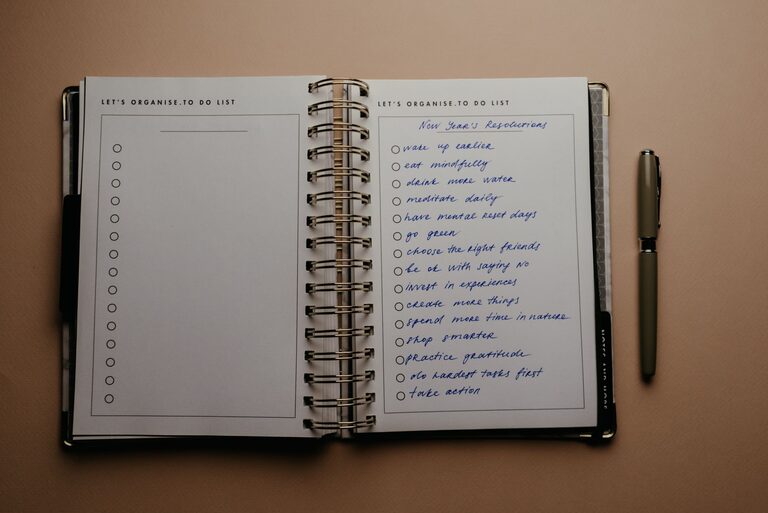
You can also personalize notebooks, folders, and containers with simple labels or small decorative details. Just make sure the system remains easy to maintain. The best organization method is one that fits your habits.
Improve Your Desk Comfort
A personalized workspace should also feel comfortable. Small adjustments can make the area more pleasant for long periods of reading, writing, or computer use.
Consider adding:
– A supportive chair cushion
– A soft desk mat
– A monitor stand
– A footrest
– A comfortable keyboard and mouse
– A lamp with adjustable brightness
Keep frequently used items at a convenient height and position. If possible, arrange your monitor and keyboard so you can work without constantly leaning forward or reaching across the desk.
Comfort does not have to look plain. Choose accessories in colors and materials that fit your style. A practical item can also become part of the overall design.
Create a Lighting Plan
Lighting has a major effect on how a workspace feels. Natural light can make the area feel bright and open, while a desk lamp adds flexibility during darker hours.
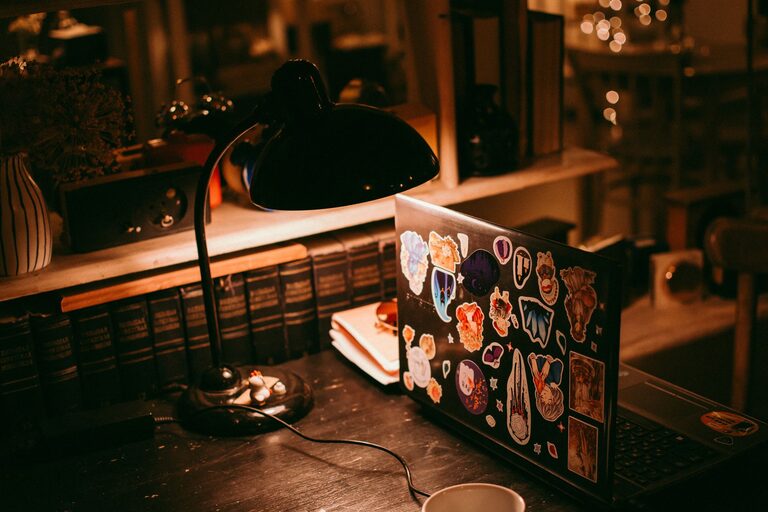
Choose a lamp that suits the size of your desk. A compact lamp works well in a small area, while an adjustable lamp can direct light exactly where you need it. You can also use a lamp with a distinctive shade or base to add personality.
Avoid placing lights where they create distracting reflections on your screen. If your workspace has a window, position your desk so the light supports your work without causing glare.
Make Room for Inspiration
A small inspiration area can help your workspace feel more connected to your interests and goals. Use a pinboard, magnetic board, or small shelf to display ideas, sketches, postcards, or project notes.
Keep the display selective. A crowded board can become distracting, so remove items that are no longer relevant. You might organize the space into sections for current projects, personal interests, and visual inspiration.
This area does not need to be serious or formal. It could include a favorite illustration, a travel postcard, a color palette, or a short reminder of something you want to accomplish.
Keep the Space Flexible
Your workspace may need to serve several purposes. It might be used for work, hobbies, reading, or creative projects. Choose items that can be moved or adjusted easily.
For example, use:
– A rolling cart for extra supplies
– Stackable trays for papers
– Foldable storage boxes
– A desk shelf with adjustable sections
– A small side table for temporary projects
Flexible furniture and storage allow you to change the setup when your needs change. This is especially useful in a shared room or a compact home office.
Personalize Gradually
There is no need to complete your workspace in one day. Start with the changes that will have the greatest effect, such as clearing the desk, improving lighting, or adding a useful storage solution. Then add decorative details over time.
Pay attention to how the space feels and functions. If an item looks attractive but gets in the way, move it or replace it. Personalization should make the workspace easier and more enjoyable to use.
The best workspace reflects your everyday habits and personal taste. With a few simple updates, you can create an area that feels comfortable, organized, and distinctly your own.